Twitter (for the few of you who have somehow managed to completely avoid
it) is a social networking, micro-blogging site which launched in 2006. It has
since become a driving force in making the worlds of television and celebrity
culture interactive experiences for the everyday man. Thanks to Twitter,
television viewers can engage in live chats about what they are watching with other viewers through the use of the
hashtag, or send messages to celebrities who use the service, many of whom
will write them back. I have been using the site since 2009 and now the biggest factor in
my often more than daily tweets is the smartphone. Since downloading the
official Twitter app my time spent reading and posting tweets has soared. There
are many many reasons I love Twitter but I've chosen five:
5. Twitter is a great way to share new music or other media and for artists and writers to promote their new work. It
was through Twitter I discovered Jane Espenson's (a writer for Buffy the Vampire
Slayer) hilarious web series 'Husbands' and Emma Caulfield's (Buffy actress)
blog and web series. It is a great tool
for bands and comedians as they can post gigs and links for tickets quickly and
easily which all of their followers then have access to. Through 'retweeting'
you can share these with your followers or send them directly to people who may
be interested.
4. Twitter is a quick and efficient way to hear breaking
news. Through the 'trending topics' feature. Everyone who uses Twitter is able to see the most talked about subjects
of the day. You can quickly view all the most recent and 'top' tweets on the
topic. Some of these topics aren't very interesting, in fact usually on a daily
basis fans of Justin Bieber or Lady Gaga have all tweeted something like
'Justin is our Boyfriend' or 'Gaga is Queen of Pop'. However, in cases of big
news like natural disasters or elections, Twitter can be the quickest way to
hear about it.
3. Twitter allows me to rant as much as I like. As there is
a 140 character limit to each tweet it is easy to post a quick remark without
giving it much thought. It is equally as easy to post a stream of tweets about
how annoying a loud group of schoolgirls are on the bus you just got on to.
Anything more than one status a day can be thought of as excessive on Facebook,
whereas on Twitter, you are welcome to post as much as you like without anyone
giving the volume of your tweets a second thought.
2. Twitter allows me to see what my favourite television
actors are getting up to. Now when I say television, I'm probably being too
general. It's mainly the cast of Firefly and Buffy that I'm interested in. It
really places you at the frontline for news of the people you follow. This probably
sounds more creepy than it actually is, but it's nice to see tweets from the
likes of Simon Pegg with attached pictures of him and the cast of the newest
Star Trek movie, chilling out at a bar after work.
1. Twitter is a great way to keep entertained while killing time. Now that I have Twitter on my phone, it is my first port of call when I am waiting for a bus or on the bike at the gym, trying to take my mind off moving my legs. I follow BBC news which often links to full articles on their site which offers further time killing material in between comedians' jokes and actors' cute pet pictures. As soon as I get bored I automatically look to my phone to find out what everyone is up to and that the world hasn't ended while I was playing Dead Rising. Most importantly, it is the place I will hear first if Justin Bieber were to be fatally injured in a tragic hairspray accident. - Emma-Lee Davidson
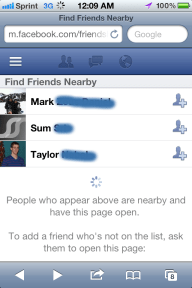
With this new service making it easier than ever before to find new acquaintances at festivals, concerts and other public events, now is the perfect time for facebook users to check over their accounts privacy settings.
Spotify is an online music streaming service in Europe and North America that allows users to stream music from thousands of artists to their computers or phones/tablets instead of having to download all the songs to their memory.
It is very handy for music lovers who are running low on space on their hard-drives and/or phone memory. Spotify's development began in 2006 and it was released to public access in Europe, in October 2008. Free accounts were originally invite only to manage new user growth. Since then Spotify has also launched in the US and has over 10 million users. 2.5 million of those users are paid subscribers.
Accounts
Once you've downloaded the client for your device, you can either use a free account which is ad supported and has certain limitations, or you can sign up for an unlimited or premium account which have extra features and benefits for a monthly fee. Then you can get to listening to your music right away.
To use Spotify on a mobile device you'll need a premium account
A free account would suffice for non-heavy music listeners but for those who listen to music for several hours a day the unlimited and premium account may be worth the fee. For the price of buying one album per month, you get the option to listen at a higher bit-rate, to use Spotify offline by downloading the tracks to your hard drive and the ability to use it on mobile devices.
I have the been a subscriber to the premium service since May 2010 and find it an absolute joy to use, whether I'm blasting some Daft Punk through my speakers at home or listening to various montage-like songs at the gym with my smartphone.
Being able to 'queue' songs is a fantastic feature every music player should have.
Mobile phone users should watch that using Spotify doesn't cut into their monthly Internet allowances, making playlists available for offline use while connected to a WiFi network can help negate using too much data while using Spotify on the go.
Music Catalogue & Playlists
Spotify adds thousands of new tracks daily to their millions and millions of existing tracks by thousands of different artists across the globe. Adding songs to your overall library is as simple as starring any song with a single click.
Sometimes people critique Spotify for not having certain high profile artists such as The Beatles, Metallica or Pink Floyd. While it can be a shame you may occasionally find one of your favourite artists absent, it's not something you should let discourage you from using Spotify, and here's why: All Spotify accounts allow users to listen to their own local music files on their computer as well as the various songs you're steaming in your playlists. So if you really want to listen to a song that Spotify doesn't have (rare, but it happens) then just download it elsewhere and tell Spotify which folder to look in and it does the rest. Simple.
Finding the right tracks couldn't be easier, the search bar in the corner lets users search by: song title, artist, album or playlists.
The ability to create playlists on the fly and add songs to one or more playlists and star your favourite tracks results in a incredibly useful music organising and sharing tool. Any playlist can be shared with others via Facebook or even just a link. You can also make collaborative playlists that allow multiple users to create and edit funky playlists. For premium users you can also check 'Make Available Offline' and Spotify will download all the tracks in that playlist to your device for use should you ever find yourself without an Internet connection. It's all incredibly easy to do, with most of these features being only a couple clicks away.
Social
One of Spotify's biggest advantages is the social integration. As of September 2011 new accounts are required to link to a facebook account. Some might see this as an unnecessary push for those just looking for a music app that don't want to bother with facebook, but how many people out there that would be tech savvy enough get Spotify wouldn't have a facebook account? Most people have one even if they don't use it anymore, and you could quickly make a new account should you not have one when you sign up for Spotify.
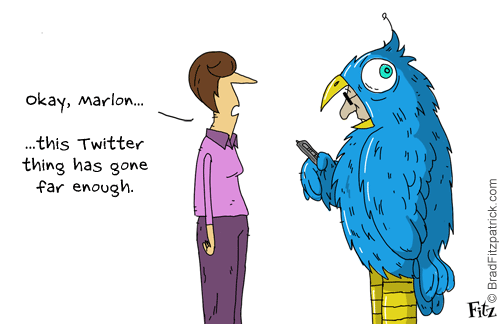
Sorry Twitter looks like you've been friendzoned.
The social integration is fantastic though, you can share playlists directly with your facebook friends and see what they've been listening to and what playlists they've subscribed to. If you don't want people to know you've been listening to the likes of Abba or Justin Beiber you can set Spotify to 'private session'. You can also set which playlists you want set public too should you have any embarrassing cheesy 80's playlists kicking about you don't want your buddies to see.
Another social feature is that you can share any track, album or artist on facebook or twitter or send it to one of your friend's Spotify inbox. So if you've just heard a great new song and want to recommend it, Spotify allows you to do so, seamlessly.
Apps
In 2011 Spotify launched it's own Apps centre which allows users to install apps for all sorts of music related apps. There are all sorts of interesting and wonderful apps waiting for you on Spotify. Many apps just aim to help you explore and experience new songs and bands. Others expand on playlist building and sharing such as the 'Top10' app that lets you make different Top 10 lists of songs and share them with your friends. Other apps have totally different functions and can be really useful like 'TuneWiki' which has synced lyrics for your karaoke enthusiasts out there.
At the moment there's only around 15 Apps available, though Spotify have said more are set to release throughout 2012. The apps that are available do contain some interesting ideas. 'MoodAgent' finds playlists containing tracks to match the users mood. Built into Spotify is the Top Tracks and Lists which let users see the current Single and Album charts on Spotify, handy should you be interested in what's popular at the moment. Spotify also handily tracks your music habits and compiles a list of your top listened to artists and songs. You can also see your friends top artists/songs too which can be neat.
The apps are an entirely optional feature on Spotify to enhance your music and listening experience. Best of all they're all free.
Radio
Unlimited and Premium subscribers can also listen to Spotify in radio mode, which is 'A gold mine for discovering new artists.' This is a dedicated radio stream to find and play tracks similar to songs by any of Spotify's artists.
Just click on your favourite artist and it'll automatically pull up and play songs deemed to be similar to that artist as well as tracks by said artist. I've already discovered some great new artists thanks to Spotify Radio.
Sadly it doesn't include actual radio stations, hopefully Spotify will integrate radio support in the future. Although it would be a country by country basis and as such would be both very time consuming and potentially costly.
Spotify's Radio Mode on the Desktop client
Alternative Services
There are alternatives out there such as Grooveshark, Rdio and Rhapsody. Grooveshark is the only one I've tried thoroughly myself, you get more for free than you do with Spotify and it runs in your browser instead of as a programme. It's music library is the main difference though, it's powered by user uploads so while it does allow them to get many different artists, including ones not on Spotify, it does leave the library prone to duplicates and poor quality uploads and user-errors like spelling/name mistakes. Unlike Spotify, Grooveshark is not completely licensed which means artists may not benefit at all from appearing on Grooveshark. Also please note this does not make Grooveshark an illegal music service.
'There is a distinction between legal and licensed. Laws come from Congress. Licenses come from businesses. Grooveshark is completely legal because we comply with the laws passed by Congress, but we are not licensed by every label (yet). '
- Paul Geller,Grooveshark’s Sr. VP of External Affairs, in an open letter to the music industry regarding Grooveshark’s legality.
Each music service has it's own advantages and disadvantages but from the ones I've seen, experienced and read about; Spotify offers the best features, look and seamless functionality to me.
Verdict
Spotify isn't for everyone. It's not particularly worth it for people who rarely listen to music and it's definitely not for those who are very rarely or never with an Internet connection. Spotify is an online service and can not be properly utilised if you don't have regular access to the Internet.
But for those with frequent access to the Internet, Spotify can be a wonderful music player and tool; especially for those willing to cough up £5/£10 for the unlimited or premium subscriptions. It's a well designed, fast and functional client that can enhance the user's music experience. It covers it's bases for audiophiles by allowing higher bit-rates (paid subscription only) and use of local music files on your computer or device. It feels like they've thought of everything and the music catalogue which contains over 15 million tracks is just incredible. Spotify have done away with needing gigabytes upon gigabytes of storage to store huge music libraries and the social integration has the potential to open up anyone's music tastes and enjoyment of sharing different songs with friends without having to keep a hundred different youtube or last.fm tabs open in your internet browser.
You don't have to take my word for it, why not download and try out Spotify for Windows/Mac for free: here